Appearance
Instancer Nodes
Instancer nodes are terminal nodes that consume Point data and place objects in the scene. They do not output any port data. All nodes in this category use the purple node color (#993399).
Instancer nodes support two Instancing Modes: traditional GameObject instantiation and BRG (BatchRendererGroup) for high-performance GPU-instanced rendering. In GameObject mode, a staticFlags field (Unity's StaticEditorFlags) can be set to mark spawned instances as batching-static, contribute-GI, occluder/occludee, etc. When BatchingStatic is included, StaticBatchingUtility.Combine is invoked on the parent after spawning.
Common Concepts
Transform Offsets
All instancer nodes support a set of base transform fields that are applied on top of each point's existing transform matrix:
| Field | Type | Default | Description |
|---|---|---|---|
baseOffset | Vector3 | (0, 0, 0) | Local position offset applied in the instance's rotated space. |
baseRotation | Vector3 | (0, 0, 0) | Euler rotation offset in degrees applied after the point's own rotation. |
baseScale | Vector3 | (1, 1, 1) | Scale multiplier. Use this to correct FBX import scale differences. |
Weighted Instancer does not have a
baseScaleon the node — eachWeightedPrefabentry has its ownbaseScaleinstead.
Material Property Mapping
Prefab Instancer and Weighted Instancer both expose a materialProperties array of PPGMaterialPropertyMapping entries. Each mapping reads a point attribute and writes it to a named MaterialPropertyBlock shader property on all Renderer components of the spawned instance.
This allows per-instance shader variation (e.g. driving a tint colour from the point's color field, or passing a noise attribute to a wind sway shader) without requiring separate prefab variants.
Parent To Component
When parentToComponent is true (the default), spawned GameObjects are parented under the PPGComponent's Transform. This allows the component to track and clean up instances on re-generation or scene unload via ManagedResources.
BRG Instancing Mode
Prefab Instancer and Weighted Instancer support a BRG instancing mode that uses Unity's BatchRendererGroup API for GPU-instanced rendering. Instead of creating individual GameObjects, BRG mode uploads instance transforms directly to a GPU buffer and renders them in minimal draw calls.
How It Works
- The prefab's
MeshFilterandMeshRendererare inspected at generation time. - Mesh and material(s) are extracted automatically — including LODGroup prefabs (LOD0 is used) and multi-material prefabs (one draw command per submesh).
- Instances are partitioned into an XZ grid (default 32m cells, configurable via
gridSizeOverride). - Each grid cell becomes a separate BRG Batch. During rendering, a Burst-compiled culling job tests each cell's AABB against the view's
cullingPlanes. - Shadow passes use the same per-cell test but iterate each shadow cascade split independently, building a
splitVisibilityMaskso a cell in outer cascades is still drawn even when excluded from nearer ones. SRP-provided shadow planes are already extended toward receivers, so casters visibly affecting on-screen shadows remain included. - Optional camera-pass distance culling (
maxCullDistance) additionally rejects cells whose nearest bound is farther than the configured distance from the camera. Shadow passes are not affected by this setting.
BRG Eligibility
A prefab is BRG-eligible if it meets all of the following:
| Requirement | Details |
|---|---|
| Single MeshFilter + MeshRenderer | Only one renderer hierarchy (LODGroup with one renderer per LOD is OK) |
| No SkinnedMeshRenderer | Skeletal meshes are not supported |
| All materials non-null | Every sharedMaterials entry must be assigned |
| DOTS Instancing shader | Materials must use shaders with DOTS Instancing support (URP Lit / HDRP Lit in Unity 6 are compatible) |
If a prefab is not BRG-eligible, the node automatically falls back to GameObject mode and logs a diagnostic message explaining why.
Grid & Distance Culling
| Field | Type | Default | Description |
|---|---|---|---|
gridSizeOverride | float | 0 | BRG grid cell size in meters. 0 uses the default (32m). Smaller values improve culling granularity but increase batch count. |
maxCullDistance | float | 0 | Camera-pass maximum render distance in meters. 0 disables distance culling. Shadow passes are unaffected, so distant casters can still contribute shadows. |
Limitations
- No physics / colliders: BRG renders meshes only. Use
GameObjectmode for prefabs that need colliders or MonoBehaviour components. - No LOD switching: All instances render at LOD0. Distance-based LOD is planned for a future release.
- No per-instance material animation:
MaterialPropertyBlockis not used in BRG mode. Custom per-instance shader properties require the advancedPPGInstanceFieldAPI (planned). - Editor preview: BRG rendering works in both Play Mode and Edit Mode. After domain reload (script recompile), instances are automatically regenerated.
When to Use BRG
| Scenario | Recommended Mode |
|---|---|
| Thousands of static meshes (grass, rocks, trees) | BRG |
| Prefabs with physics colliders | GameObject |
| Prefabs with custom MonoBehaviour logic | GameObject |
| Nested procedural generation (inner graphs) | PrefabGraphInstancer (always GameObject) |
Prefab Instancer
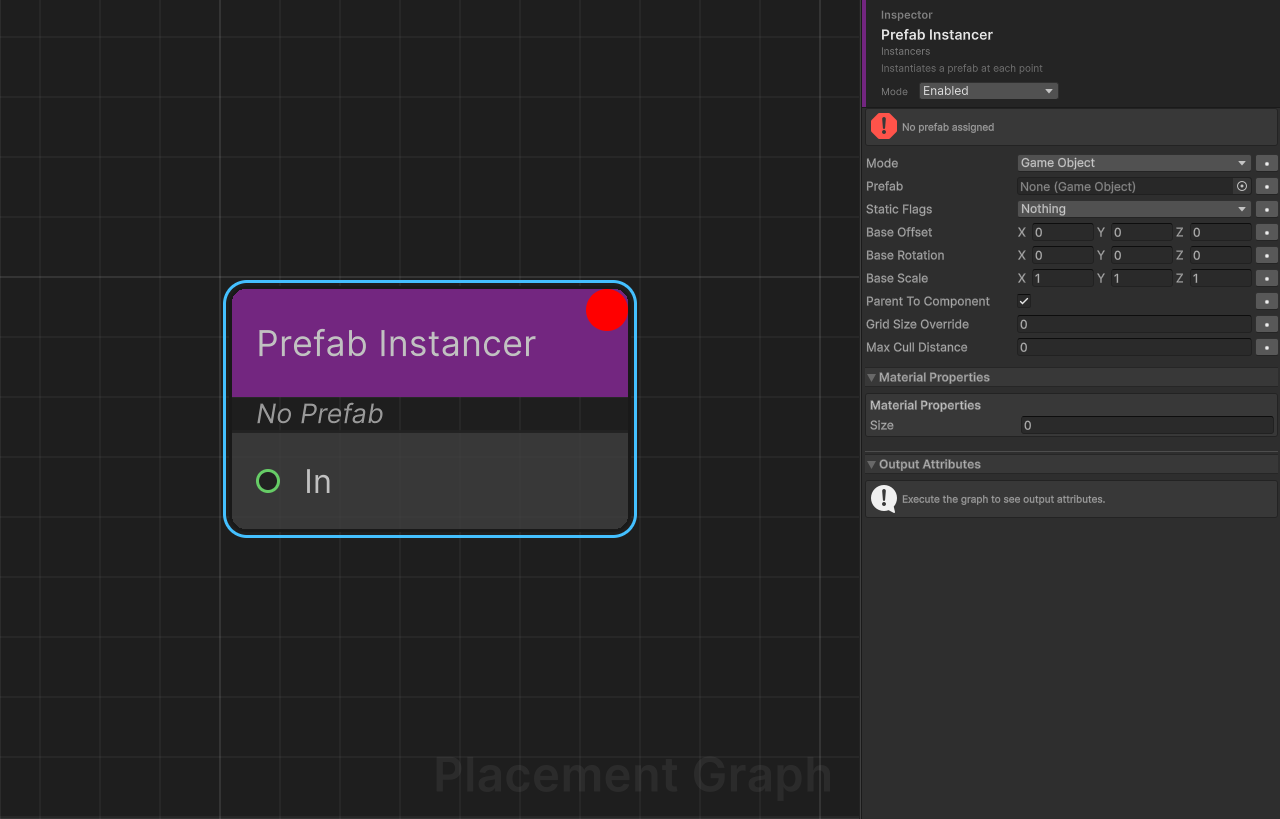
Category: Instancers
Description: Instantiates a single prefab at every input point.
Ports
| Direction | Name | Type |
|---|---|---|
| Input | In | Point |
Settings
Prefab
| Field | Type | Default | Description |
|---|---|---|---|
prefab | GameObject | null | Prefab to instantiate at each point. A warning is logged if unset. |
Instantiation Mode
| Field | Type | Default | Description |
|---|---|---|---|
mode | InstancingMode | GameObject | GameObject: standard Instantiate. BRG: GPU-instanced rendering via BatchRendererGroup (see BRG Instancing Mode). |
staticFlags | StaticEditorFlags | 0 (None) | Editor-only. Static editor flags applied to spawned GameObjects in GameObject mode. Including BatchingStatic triggers StaticBatchingUtility.Combine on the parent after spawning. |
Transform Offsets
| Field | Type | Default | Description |
|---|---|---|---|
baseOffset | Vector3 | (0, 0, 0) | Position offset in the instance's rotated local space. |
baseRotation | Vector3 | (0, 0, 0) | Euler rotation offset in degrees. |
baseScale | Vector3 | (1, 1, 1) | Scale multiplier. |
BRG Grid & Distance Culling
| Field | Type | Default | Description |
|---|---|---|---|
gridSizeOverride | float | 0 | Grid cell size for BRG spatial partitioning. 0 = default (32m). |
maxCullDistance | float | 0 | Camera-pass maximum render distance in meters. 0 disables. Shadow pass is unaffected. |
Parenting
| Field | Type | Default | Description |
|---|---|---|---|
parentToComponent | bool | true | Parent spawned GameObjects under the PPGComponent transform. |
Material Properties
| Field | Type | Default | Description |
|---|---|---|---|
materialProperties | PPGMaterialPropertyMapping[] | Empty array ([]) | Per-instance material overrides. Each entry maps a point attribute to a shader property name via MaterialPropertyBlock. |
Tips
GameObjectmode +staticFlags.BatchingStaticreduces draw calls by combining spawned meshes viaStaticBatchingUtility.Combine. RequiresparentToComponent = trueso the Combine call has a parent. Note that combined meshes lose per-instance transform mutation at runtime.BRGmode provides the best performance for large instance counts. No GameObjects are created — rendering is handled entirely via GPU buffers. If the prefab is not BRG-eligible, the node automatically falls back toGameObjectmode with a diagnostic log.- Cancellation is checked every 64 instances during execution to keep the editor responsive.
- When
parentToComponentisfalse, instances are not tracked byManagedResourcesand must be cleaned up manually.
Prefab Graph Instancer
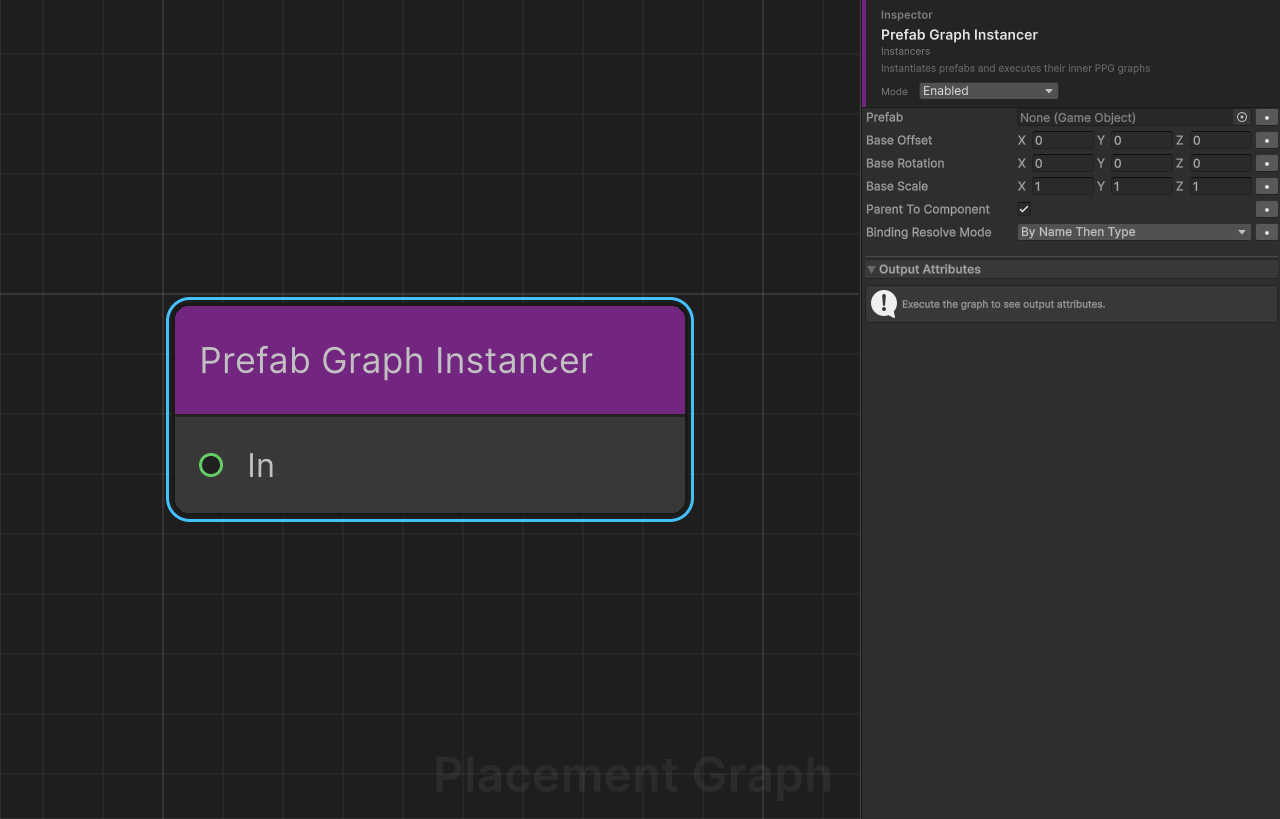
Category: Instancers
Description: Instantiates prefabs at each input point and, if the prefab contains a PPGComponent, automatically executes its inner graph.
This node enables nested procedural generation: the outer graph places parent prefabs, and each prefab's own graph generates content relative to its position.
Ports
| Direction | Name | Type |
|---|---|---|
| Input | In | Point |
Settings
Prefab
| Field | Type | Default | Description |
|---|---|---|---|
prefab | GameObject | null | Prefab to spawn. If it has a PPGComponent, that component's graph is automatically executed after instantiation. |
Transform Offsets
| Field | Type | Default | Description |
|---|---|---|---|
baseOffset | Vector3 | (0, 0, 0) | Position offset in the instance's rotated local space. |
baseRotation | Vector3 | (0, 0, 0) | Euler rotation offset in degrees. |
baseScale | Vector3 | (1, 1, 1) | Scale multiplier. |
Parenting
| Field | Type | Default | Description |
|---|---|---|---|
parentToComponent | bool | true | Parent spawned GameObjects under the PPGComponent transform. |
Binding Resolution
| Field | Type | Default | Description |
|---|---|---|---|
bindingResolveMode | PPGBindingResolveMode | ByNameThenType | How inner graph binding slots are resolved to components on the spawned instance. See enum table below. |
PPGBindingResolveMode enum
| Value | Description |
|---|---|
None | No automatic resolution. Bindings must already be configured inside the prefab. |
ByNameThenType | Searches for a child GameObject matching the slot name first (via Transform.Find), then falls back to GetComponentInChildren by type. |
ByTypeOnly | Resolves exclusively via GetComponentInChildren by the slot's binding type. |
Inner Graph Execution
When a spawned instance contains a PPGComponent:
- The instance is created inactive to prevent
Start()from triggering an earlyGenerate()call. GenerateOnStarton the inner component is set tofalse.- A deterministic seed is derived from
WangHash(point.seed ^ contextSeed)and assigned toinnerComp.Seed. - Bindings are resolved according to
bindingResolveMode. - The instance is activated,
Physics.SyncTransforms()is called to ensure colliders are ready, andinnerComp.Generate()is invoked.
If the inner graph throws, a warning is logged for that specific point and execution continues with the remaining points.
If the prefab has no PPGComponent, the node falls back to behaving like a standard Prefab Instancer (activate and continue).
Recursion Limit
The node guards against infinite recursion. If nesting depth exceeds 4 levels, an error is logged and the node returns false. Avoid circular prefab graph references.
Tips
- Inner graph seeds are deterministic: the same outer seed + point layout always produces the same inner layout.
ByNameThenTypeis recommended when prefabs have named sub-objects that match binding slot names (e.g. aTerrainchild named"Terrain"matching a terrain binding slot).- A warning is emitted if a resolved binding target has no
Collidercomponent, since surface-sampling nodes (e.g. surface scatter) inside the inner graph will not function without a collider. - Spawned instances are tracked by the outer
ManagedResourcesand are cleaned up when the outer component regenerates.
Weighted Instancer
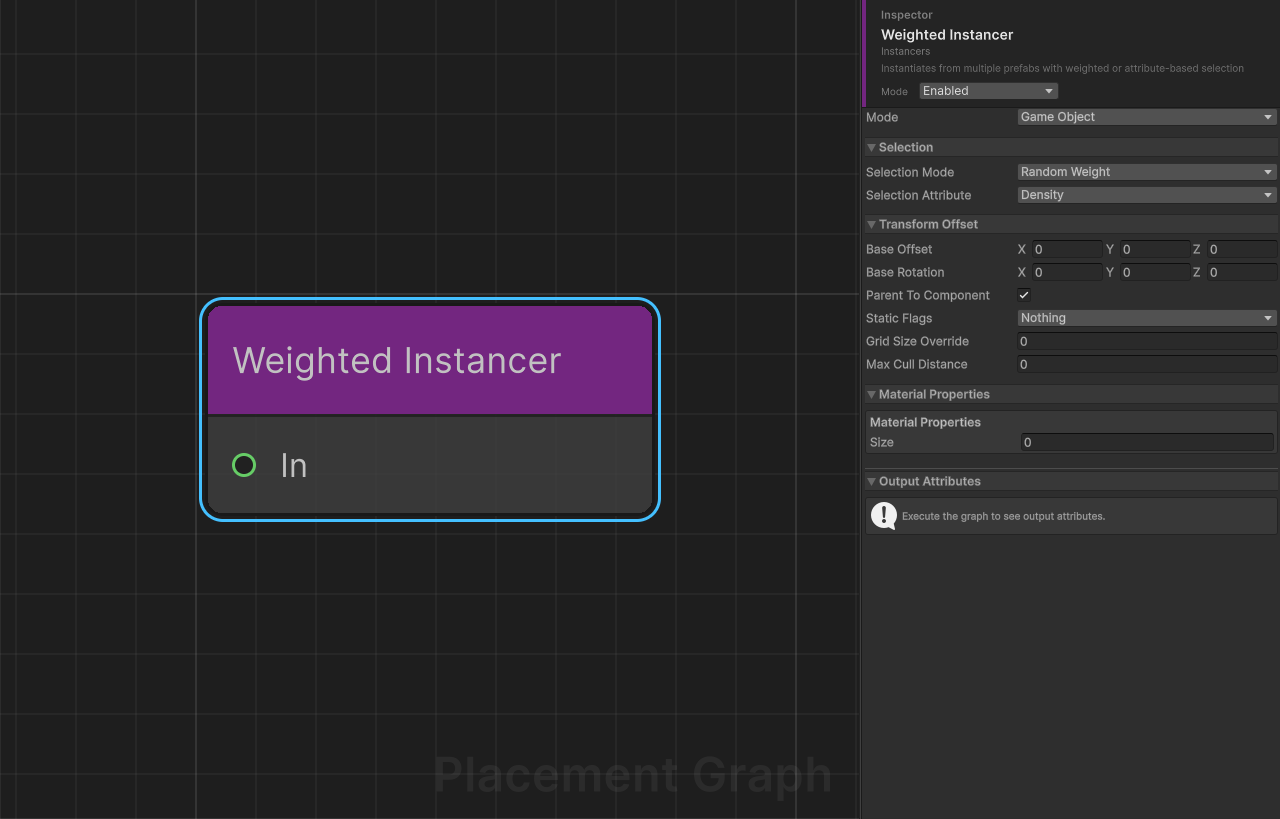
Category: Instancers
Description: Instantiates from a list of prefab entries, selecting which prefab to spawn per point using weighted random, float-range attribute mapping, or direct integer indexing.
Ports
| Direction | Name | Type |
|---|---|---|
| Input | In | Point |
Settings
Instantiation Mode
| Field | Type | Default | Description |
|---|---|---|---|
mode | InstancingMode | GameObject | GameObject: standard Instantiate. BRG: GPU-instanced rendering via BatchRendererGroup (see BRG Instancing Mode). |
staticFlags | StaticEditorFlags | 0 (None) | Editor-only. Static editor flags applied to spawned GameObjects in GameObject mode. Including BatchingStatic triggers StaticBatchingUtility.Combine on the parent after spawning. |
Selection
| Field | Type | Default | Description |
|---|---|---|---|
selectionMode | PPGWeightedSelectionMode | RandomWeight | Algorithm used to pick an entry per point. See enum table below. |
selectionAttribute | PPGAttributeSelector | Density | Attribute that drives selection in FloatRange and DirectIndex modes. Ignored in RandomWeight mode. |
PPGWeightedSelectionMode enum
| Value | Description |
|---|---|
RandomWeight | Performs a deterministic weighted random roll per point using WangHash(point.seed) ^ WangHash(contextSeed + pointIndex). |
FloatRange | Reads a [0, 1] float from selectionAttribute and maps it to weighted bands proportional to each entry's weight field. |
DirectIndex | Reads an integer from selectionAttribute and uses it as a direct entry index (with modulo wrap-around). |
Weighted Prefab Entries
entries is an array of WeightedPrefab structs:
| Field | Type | Default | Description |
|---|---|---|---|
prefab | GameObject | null | Prefab to spawn for this entry. Entries with a null prefab are skipped. |
weight | float | 1.0 | Relative probability weight. Values are normalised internally to sum to 1. |
baseScale | Vector3 | (1, 1, 1) | Per-entry scale multiplier applied to the spawned instance. |
Transform Offsets (node-level)
| Field | Type | Default | Description |
|---|---|---|---|
baseOffset | Vector3 | (0, 0, 0) | Position offset in the instance's rotated local space. |
baseRotation | Vector3 | (0, 0, 0) | Euler rotation offset in degrees applied after point rotation. |
Unlike the other instancer nodes, there is no node-level
baseScale. Scale is controlled per-entry viaWeightedPrefab.baseScale.
BRG Grid & Distance Culling
| Field | Type | Default | Description |
|---|---|---|---|
gridSizeOverride | float | 0 | Grid cell size for BRG spatial partitioning. 0 = default (32m). |
maxCullDistance | float | 0 | Camera-pass maximum render distance in meters. 0 disables. Shadow pass is unaffected. |
Parenting
| Field | Type | Default | Description |
|---|---|---|---|
parentToComponent | bool | true | Parent spawned GameObjects under the PPGComponent transform. |
Material Properties
| Field | Type | Default | Description |
|---|---|---|---|
materialProperties | PPGMaterialPropertyMapping[] | Empty array ([]) | Per-instance material overrides mapped from point attributes to shader properties via MaterialPropertyBlock. |
Consumed Attributes
When selectionMode is FloatRange or DirectIndex and selectionAttribute is a custom attribute, it is declared as consumed (IPPGAttributeConsumer).
Internal Weight Normalisation
Entry weights are normalised to a cumulative probability table at runtime:
cumulativeWeights[i] = sum(entries[0..i].weight) / totalWeightThe last entry is always clamped to exactly 1.0 to prevent floating-point drift. If totalWeight <= 0, a warning is logged and no instances are spawned.
Tips
- In
RandomWeightmode, each point's seed is combined with the graph's context seed and the point's index to produce a deterministic, reproducible selection even across multiple generate calls. FloatRangemode is ideal for attribute-driven variety: e.g. use a Attribute Noise node to generate a density field, then map it to prefab bands (sparse undergrowth at low density, dense canopy at high density).DirectIndexmode is useful when upstream nodes explicitly tag points with an integer category attribute created by a Create Attribute node.- Setting
staticFlagsto includeBatchingStaticrequiresparentToComponent = true;StaticBatchingUtility.Combineis performed on the parentGameObjectafter all instances are placed. BRGmode groups entries by(Mesh, Material[], layer, shadowCastingMode, receiveShadows)and creates separate BRG batches per group. Multi-material prefabs are supported (one draw command per submesh). If any entry is not BRG-eligible, the entire node falls back toGameObjectmode.- Parameter expose (
SupportsParameterExpose) is disabled for this node because per-entry weight values are not individually exposable as graph parameters.
Spline Mesh Deformer
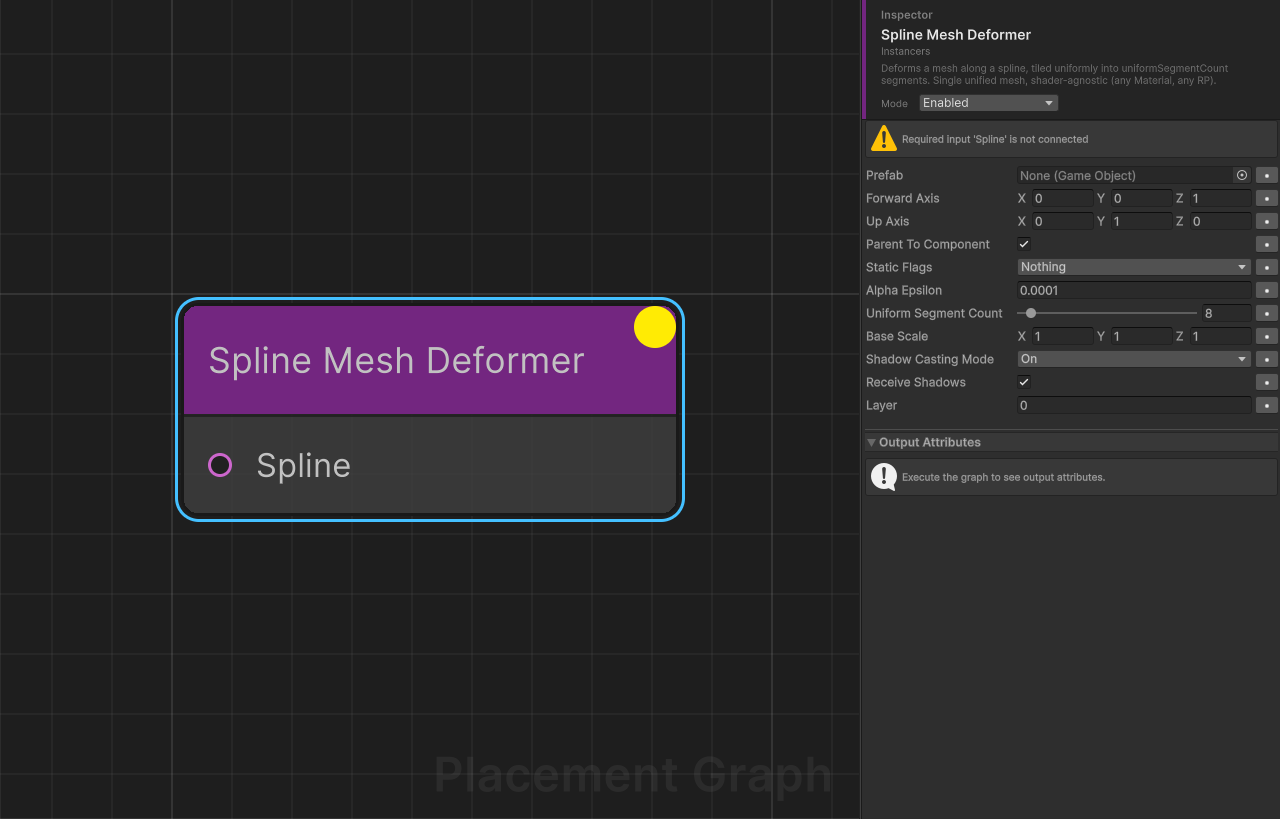
Category: Instancers Description: CPU-side mesh deformation along a spline. Takes a prefab and tiles its mesh along the spline into uniformSegmentCount uniform segments. Shader-agnostic — works with any Material on URP, HDRP, and Built-in.
Inputs
| Port | Type | Required | Description |
|---|---|---|---|
Spline | Spline | Yes | The curve driving the deformation. Typically from Get Binding or Create Spline from Points. |
Settings
| Field | Type | Default | Description |
|---|---|---|---|
prefab | GameObject | null | Prefab with a MeshFilter + MeshRenderer in its children. LODGroup is supported (LOD0 used). Multi-submesh + multi-material prefabs are supported. The mesh must be Read/Write enabled. |
forwardAxis | Vector3 | (0,0,1) | Which axis of the source mesh points along the spline direction. |
upAxis | Vector3 | (0,1,0) | Which axis of the source mesh is "up" in its local space. |
parentToComponent | bool | true | Parent the generated GameObject under the PPGComponent's transform. |
staticFlags | StaticEditorFlags | 0 (None) | Editor-only. Static editor flags applied to the spawned GameObject. Including BatchingStatic invokes StaticBatchingUtility.Combine on the parent afterwards. |
uniformSegmentCount | int | 8 | Number of uniform tile segments along the spline. Range 1–128. |
baseScale | Vector3 | (1, 1, 1) | Scale applied to source mesh vertices before deformation. In post-axis-rotation space: X = cross-section width, Y = cross-section height. Z (spline-forward direction) is visually inert — use uniformSegmentCount to control tile count instead. Normals are compensated for non-uniform scale. |
alphaEpsilon | float | 1e-4 | Retained for serialization compatibility with older graphs; no longer read at runtime. |
shadowCastingMode | ShadowCastingMode | On | Standard MeshRenderer shadow setting. |
receiveShadows | bool | true | Standard MeshRenderer shadow setting. |
layer | int | 0 | Layer of the spawned GameObject. |
Behavior
- The node generates
uniformSegmentCount + 1normalised alphas[0, 1/N, ..., 1]along the spline. Each consecutive pair forms one segment;Nsegments fromN+1alphas. - The prefab's mesh is cloned, tiled
segmentCounttimes along the forward axis, and deformed so each tile occupies its corresponding[alpha_i, alpha_{i+1}]range on the spline. - Per-vertex attributes (positions, normals, UV channels 0..3, colors) and all submesh triangle arrays are tiled. Normals + tangents are recomputed.
- A single
GameObjectwithMeshFilter + MeshRendereris spawned. The deformedMeshclone is owned by a marker component so it is destroyed alongside the GameObject during PPG cleanup.
Tips
- For the trivial "one mesh across the full spline" case, set
uniformSegmentCount = 1→ a single segment spanning the full spline. - To place a pre-tiled 10m road mesh along a 100m spline without distortion, set
uniformSegmentCount = 10so each tile matches the mesh's forward length. - Deformation is Burst-compiled (
IJobParallelFor) and runs on all vertices in parallel; large meshes remain responsive. - Uses Unity Splines'
NativeSpline.Evaluateinternally — no PTF accumulation, no shader required.
Terrain-conforming Meshes
To make a road/path follow terrain, build the driving spline from terrain-projected points:
Get Binding (SplineContainer)
  └─▶ Spline Sampler (ByCount = N)
        └─▶ Project To Surface (Terrain)
              └─▶ Create Spline from Points
                    └─▶ Spline Mesh Deformer
Create Spline from Points rebuilds a Spline whose knots sit on the terrain, and the Deformer's tile pipeline follows that new curve. See Create Spline from Points for options (tangent mode, closed loop, sort by attribute).