Appearance
Flow Nodes
Flow nodes control the execution path and structure of a graph. They allow you to repeat transforms, split points along a condition, or delegate work to a separate graph asset.
Loop
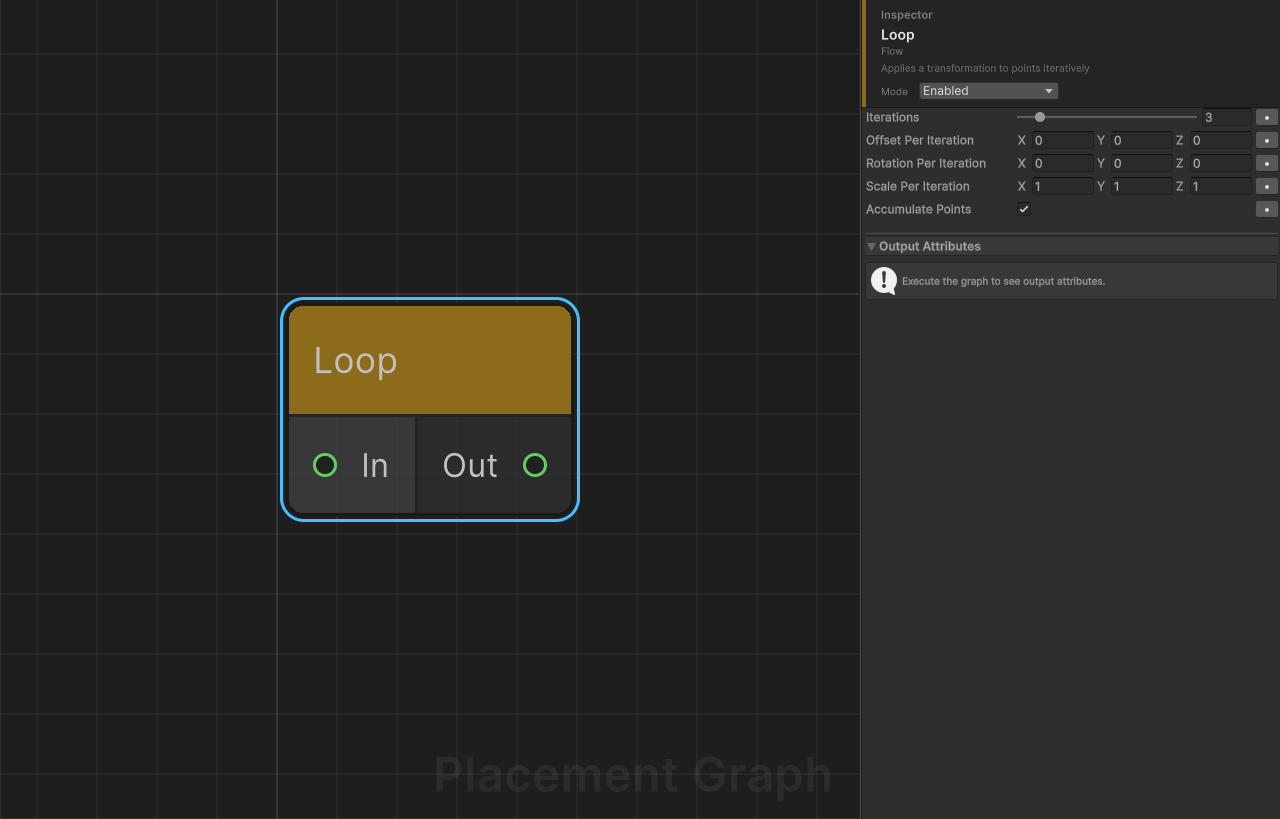
Category: Flow
Description: Applies a transformation to points iteratively.
Ports
| Direction | Name | Type |
|---|---|---|
| Input | In | Point |
| Output | Out | Point |
Settings
| Field | Type | Default | Description |
|---|---|---|---|
iterations | int (1–20) | 3 | Number of iterations to run. |
offsetPerIteration | Vector3 | (0, 0, 0) | World-space position offset added per iteration. |
rotationPerIteration | Vector3 | (0, 0, 0) | Euler-degree rotation added per iteration. |
scalePerIteration | Vector3 | (1, 1, 1) | Scale multiplier per iteration. (1, 1, 1) means no change. |
accumulatePoints | bool | true | Controls the loop mode (see below). |
Modes
Accumulate mode (accumulatePoints = true)
Each iteration duplicates all source points, applying a cumulative transform at factor i+1. The total output count is sourcePoints × iterations. Use this to create arrays, scatter copies, or fractal-like repetition.
Iterative mode (accumulatePoints = false)
The transform is applied in-place to the same set of points, building on the result of each previous iteration. The output count equals the input count. Use this to move or rotate the same points over time.
Notes
- Scale is computed as
1 + (scalePerIteration − 1) × factor, so a value of(1.2, 1.2, 1.2)adds 20 % per iteration. - Transforms are applied in TRS order: translate → rotate → scale.
- The
iterationsrange is clamped to 1–20 in the Inspector.
Branch
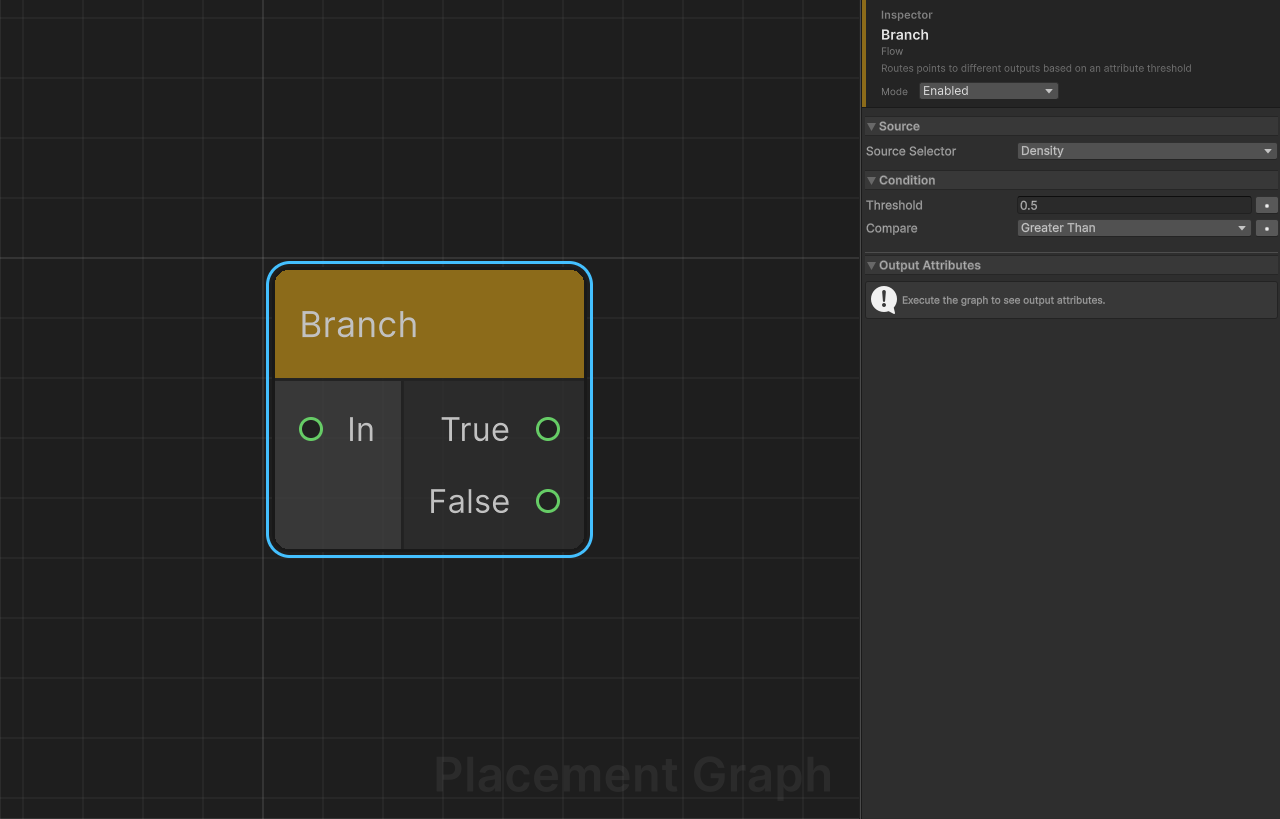
Category: Flow
Description: Routes points to different outputs based on an attribute threshold comparison.
Ports
| Direction | Name | Type |
|---|---|---|
| Input | In | Point |
| Output | True | Point |
| Output | False | Point |
Settings
| Field | Type | Default | Description |
|---|---|---|---|
sourceSelector | PPGAttributeSelector | BuiltIn(Density) | The attribute to evaluate for each point. Can be a built-in property or a custom named attribute. |
threshold | float | 0.5 | The value to compare the attribute against. |
compare | CompareMode | GreaterThan | Comparison operator (see table below). |
CompareMode Values
| Value | Condition |
|---|---|
GreaterThan | attribute > threshold |
LessThan | attribute < threshold |
GreaterOrEqual | attribute >= threshold |
LessOrEqual | attribute <= threshold |
IPPGAttributeConsumer
Branch implements IPPGAttributeConsumer. When sourceSelector targets a custom attribute, the attribute name is reported as consumed so upstream nodes can produce it correctly.
Notes
- Points exactly equal to
thresholdare sent to False when usingGreaterThan, and to True when usingGreaterOrEqual. - Both output ports always receive a
PPGPointDataobject (possibly empty). Downstream nodes that require points should tolerate zero-count inputs. - The
TrueandFalseoutputs share the same metadata as the input.
Sub Graph
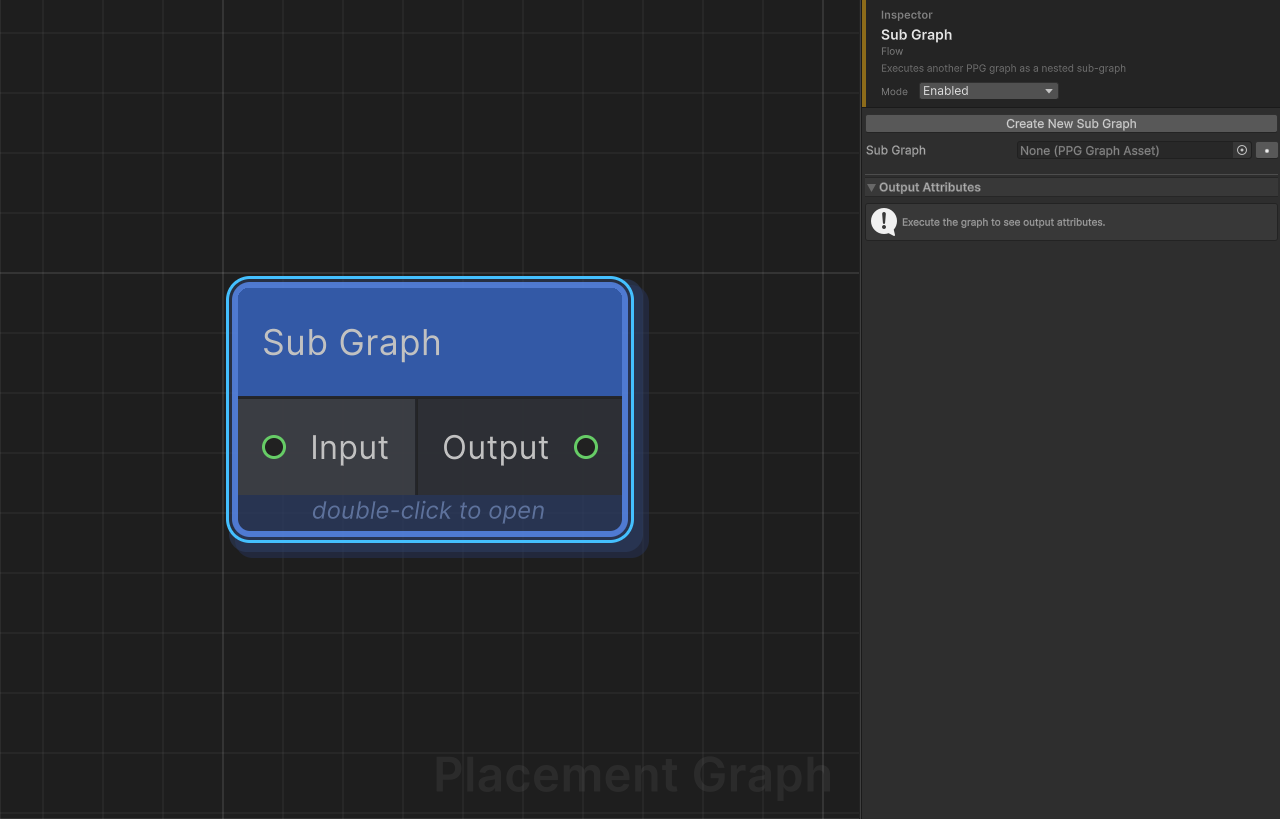
Category: Flow
Description: Executes another PPG graph asset as a nested sub-graph within the current graph.
Ports (Dynamic)
When a sub-graph is assigned, the Sub Graph node's ports are dynamically generated from the sub-graph's Graph Input and Graph Output nodes:
- Each Graph Input node in the sub-graph creates an input port on the Sub Graph node, named after the GraphInput's
portName. - Each Graph Output node in the sub-graph creates an output port on the Sub Graph node, named after the GraphOutput's
portName.
If no sub-graph is assigned, fallback ports Input (Any) and Output (Any) are shown.
| Example | Sub-graph contains | Sub Graph node shows |
|---|---|---|
| Simple | 1 GraphInput "Input", 1 GraphOutput "Output" | Input (in), Output (out) |
| Multi-port | GraphInput "Terrain", GraphInput "Mask", GraphOutput "Result" | Terrain (in), Mask (in), Result (out) |
Settings
| Field | Type | Default | Description |
|---|---|---|---|
subGraph | PPGGraphAsset | null | The graph asset to execute. Graph Input/Output nodes inside it define the Sub Graph node's ports. |
Behavior
- Data arriving at each input port is routed to the corresponding Graph Input node in the sub-graph (matched by port name).
- The sub-graph executes fully (instancers are skipped to avoid double-spawning).
- Data produced by each Graph Output node is routed to the corresponding output port on the Sub Graph node.
- Intermediate data produced inside the sub-graph is disposed after execution; only transferred output data and original input data survive.
Recursion Protection
- A direct or indirect recursive reference (a graph calling itself) is detected at runtime and produces an error log. Execution is aborted for the offending node.
- The maximum nesting depth is 16. Exceeding it also aborts execution with an error.
Notes
- If
subGraphis not assigned the node logs a warning and produces no output (execution continues). - Sub-graph execution failures (errors in child nodes) are reported as warnings and cause the Sub Graph node to return
false, stopping the parent graph at that point. - The node accepts and outputs
Anydata type, so it can wrap graphs that operate on Points, Splines, or Surfaces.
Creating Sub Graphs
There are two ways to create a sub-graph:
Collapse to Sub Graph (recommended)
- Select one or more nodes in the graph view.
- Right-click and choose "Collapse to Sub Graph".
- A save dialog prompts you to name the new graph asset.
- The selected nodes are moved into the new graph, with Graph Input and Graph Output nodes automatically created to preserve connections.
- A Sub Graph node replaces the selection in the parent graph, wired to the original upstream/downstream connections.
Constraint: The selection must have at most one entry point (incoming port) and one exit point (outgoing port). Selections with multiple entry or exit points will show a warning dialog. Use Merge nodes to consolidate data before collapsing.
Create New Sub Graph (from Inspector)
- Add a Sub Graph node to your graph.
- In the Inspector, if no sub-graph is assigned, a "Create New Sub Graph" button appears.
- Click it to create a new graph asset with Graph Input and Graph Output pre-placed (both set to
Anytype). - The new asset is automatically assigned to the Sub Graph node. Double-click the node to enter and edit it.